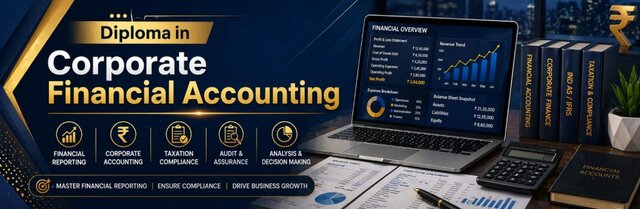
Financial Accounting & E-Accounting Course in Pitampura — Diploma in Corporate Financial Accounting (E-Accounting)
This Diploma in Corporate Financial Accounting (DCFA) with AI is designed to build strong accounting, taxation, and financial management skills. The course covers MS Office, Tally, GST, Income Tax, e-filing, and banking operations along with AI tools for productivity. With practical training and real-world projects, students gain industry-ready skills for accounting and finance careers.
Why Employers Actually Care About E-Accounting Skills
Everyone learns Tally at some point — that part’s not unique anymore. What actually sets students apart is whether they understand financial accounting well enough to know why an entry goes where it goes, and whether they’re comfortable doing e-accounting tasks that never touch a classroom textbook: filing GST online, reconciling a bank statement digitally, submitting a TDS return without someone walking them through it step by step.
That’s the gap this course is built to close. We start with financial accounting fundamentals — ledgers, journals, balance sheets — the stuff that doesn’t change no matter what software you’re using. Then we move into e-accounting specifically: net banking operations, online tax filing, digital GST returns, the parts of the job that happen entirely on a screen and trip up a lot of otherwise capable students because nobody ever showed them the actual portals
Who Actually Needs This E-Accounting and Financial Accounting Course?
Most people who join fall into a few honest categories.
Commerce graduates who studied financial accounting on paper but have never filed an actual e-accounting return or touched a real bank reconciliation. Working professionals whose company suddenly expects them to handle e-accounting tasks — GST filing, TDS, online banking — that were never part of their original job training. Small business owners who are done relying on someone else for their financial accounting and want to understand their own numbers. And accounting job-seekers who keep seeing “e-accounting experience required” on postings and don’t have an answer for it yet.
If any of that sounds familiar, this is built around exactly that gap — not generic theory, but the specific financial accounting and e-accounting skills that come up on the job.
ADVANCE OFFICE MANAGEMENT (MS OFFICE)
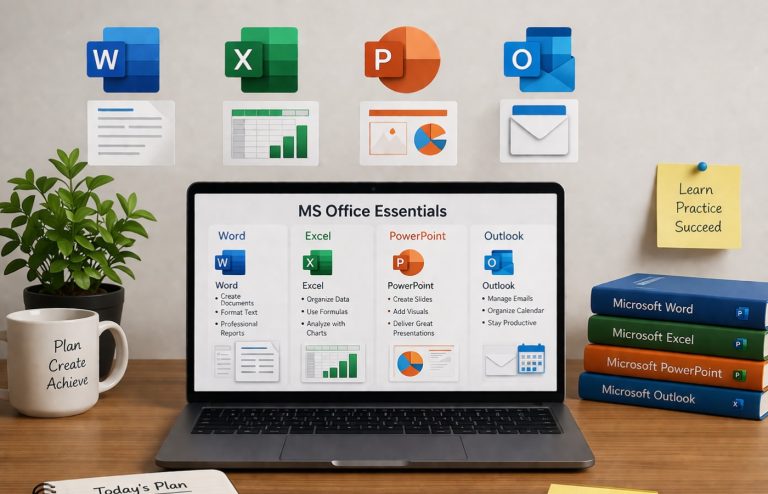
MS-WORD (Documentation)
- Page Setup, Text formatting, Data Proofing, Paragraph setting, Header & footers
- Mail Merge, Table (Applying Math formulas in table), Use of AI in office documentation
- Making PDF File, Live Projects (Resume, Official Application, Letter, )
MS-EXCEL (Basic + Advance Excel – Data Entry & Data Analysis)
- Basics of Excel, Workbook, Worksheet, Workspaces, Basics of Excel Calculations
- Referencing, Functions & formulas, Data Importing & Exporting (With Tally)
- What-If Analysis, Sorting and filtering, Data Validation, H Lookup– V Lookup
- Macros, Goal Seek, Scenarios, Consolidation of Multiple Sheets
- Live Projects for analyzing Bulk data (Banking, Insurance, Students, Employee data)
- Pivot Table, Pivot Chart, Creating Data Reports, Mark sheets, Account Reports in Excel,
- Protecting Excel Workbook, Auditing, Freeze Panes, Naming Cell Range
Header & footer, Printing Excel sheet, CSV & PDF in Excel, Use of AI in EXCEl (ChatGPT etc)
POWERPOINT (Presentation & Projects)
- Slide Layout, Slide Transition, Slide Show, Animation, Sound and Video Effects
- Working with Advanced Tools and Masters, Inserting Illustrations
- Objects and Media Clips Using Advanced Features, Enhancing Charts, (Live Projects)
INTERNET
- E-Mail (Compose, File Attachment, CC, BCC, Draft )
- Online Ticket Booking(Railway Reservation, Airline ticket, )
- Online FormSubmission (University, Jobs etc.)
- Save your documents online through Digital Locker
- Online ADHAR CARD, Voter ID, Ration Card, Online RTI, MCD Online, PMO, PGMS
COMPUTER HARDWARE BASICS
- PC Architecture, Hard Disk Partition, BIOS (C-MOS) Setup, Window Installation
- Trouble Shooting & General fault finding in computer
INDUSTRIAL ACCOUNTING SOFTWARE
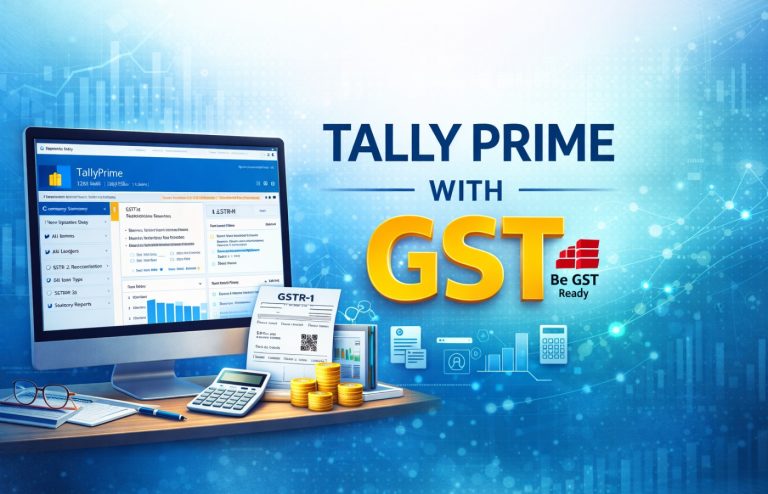
TALLY PRIME (with S.T.)
- Basics of accounting, Ledger Posting, Bill wise details , Cost center, Allow Invoice
- Multiple Godown, Maintain stock categories, Integrated account and Inventory
- Use tracking number, Ratio Analysis, Profit and Loss statement, Balance Sheet,
BUSY 21 Rel 8 (withG.S.T.)
- Excise implementation, Pay Roll implementation, Advance POS (point of sales)
- Data entry, Credit limit, Cost centers, purchase and sales challan, MIS report
- Data configuration, etc.
DATABASE MANAGEMENT USING MS-ACCESS
MS-Access (All Documentation from Tally to Access)
- Table Creation (Designing View, Wizard, Setting Relationship)
- Query Management, Form Building, Report & Label Creation
- Importing – Exporting of data
- Query Building (Cross Tab, Unique, Duplicate, Delete, Update, Append, )
- Setting up Relationships among multiple
INDUSTRIAL PRACTICAL ACCOUNTS
- Bank Reconciliation Statement, Depreciation, Invoice, Challan, Debit & Credit Note, Debit & Credit Vouchers, Maintain Batch Wise Details(set expiry dates for batches)
- Profit-Analyzing,Document Manager, Online Finalization,Purchase Order & Sales Order, Billing Software, FIFO/LIFO, Method of valuation of stock
- Budget & Scenario, Multi Currency, Data Export & Import, Delivery Goods
- Receipts Note, Rejection Inward / Outward Notes, Interest Calculation
DIRECT TAX
- Apply online for PAN Card [Form 49-A (PAN Card)], Online Correction in PAN card
Linking AADHAR with PAN Card
- Computation of Income Tax, various Tax deduction sections (24, 80C, 80D, 80G, )
- TDS/TCS (Computation of TDS under various categories), TDS in Payroll
INDIRECT TAX (GST)
- GST Registration (Apply Online for GST Registration)
- Goods and Service Tax (IGST, CGST, SGST), GST Rates (0%, 3%, 5%, 12%, 18%, 28%)
- GST Preparation (R1 to R10), Sale & Purchase GST, e-WAY Bill
- Preparation of TDS GST, Preparation of Job work GST
- Reserve Charge Mechanism (RCM) under GST
NET BANKING & ONLINE RETURNS (e-ACCOUNTING)
Internet Banking
- Corporate User (Current Account), Individual User (Retail/Saving Account)
- Customizing Account
- Changing Login / Transaction Password, ATM PIN,
- Adding/Modifying Nominee Details
Downloading, managing Account Statement (Spreadsheet, PDF, TXT file)
- Mobile Banking, Accessing Popular Apps (SBI Quick, mPassBook, PNB ONE, )
- Beneficiary Management (Add, Delete, Modify Beneficiary, Setting transaction Limits)
Utility Payment through Net Banking
- Debit Card, IMPS, e-Wallet (PAYTM, PhonePe, BHIM, UPI, IMPS, )
Utilities Online
- Aadhar Card, Driving License, ESIC Card, Voter ID, Ration Card,
- Online Shopping through various e-payment mediums
- Online Insurance Policies (Health Insurance, Vehicle Insurance )
ONLINE e-TAX payment
- e-Filing of Income Tax
- Filling Income Tax Return [Form 16-A] ITR-1, ITR-2, e-Filing TDS and GST,
- Filling Revised Income Tax Returns, Online Income Tax Payment (Challan 280)
Tax Deduction at Source- Tax Collection at Source (TDS/TCS)
- Apply Online for TAN Number (TDS Registration)
- Online TDS Payment (Challan 281),
- Filing TDS return, Filing revised TDS returns
Goods & Service Tax (GST)
- e-WAY Bill (Online)
- Filing of GSTR-3B Return, Filing of GSTR-1, Annual Return GSTR-9
- Modification of Invoice, Download GST 2-A Summary, Preparation of TDS GST
MSME UDYAM REGISTRATION, MCA (MINISTRY OF CORPORATE AFFAIRS)
Knowledge of Ministry of Micro, Small, Medium Enterprises (MSME)
- Online UDYAM Registration for New Business under MSME
Company Details Checking
- CIN (Corporate Identity Number)
- View Company’s Master Data (Directors, Signing authority, )
- View index of charges, Check Annual e-filing Status
DIN (Director Identification Number) Services
- Purpose of DIN, How to apply, Form DIR-3 (for allotment of DIN)
- Checking DIN status, Verify DIN/DIN-PAN Details of Director
Digital Signature Certificate (D.S.C.)
- What is S.C., Uses &limitations, How to apply for D.S.C.
An introduction about various Company Related Forms/Documents
- DIR-12 (Appointment, Removal of Director), Form-18 (Change of location of office)
- Form 32 (Appointment/Changes in Designation of Director
INDUSTRIAL LAW & PAYROLL, BANKING SYSTEM
- Industrial Law – ESI, PPF, Gratuity (Gratuity Calculator)& Bonus
- Payroll(HRA, TA, DA, Net & Gross Salary, Overtime & Compensation)
- Employee Time-Tracking and benefits
- Payroll Deductions, Taxes and Tax Remittances, Payroll Reports and Recordkeeping
- Bank Demand Draft, Overdraft Limit
- RBI tools to control Inflation and Growth
- Base Rate and PLR, Repo Rate and Reverse Repo Rate, CRR and SLR
- Bank Loan EMI Calculation (Home Loan, Personal Loan, ), Loan Calculator
- An introduction of Investment Banking & Financial Securities
- Demat Account
- Financial Securities
- Equity (such as stocks, shares), Sensex (BSE), Nifty (NSE)
- Debts (such as bonds, debentures)
- Introduction to Digital Currency (Cryptocurrency (Bitcoin), )

Everyone learns Tally at some point — that part’s not unique anymore. What actually sets students apart is whether they understand financial accounting well enough to know why an entry goes where it goes, and whether they’re comfortable doing e-accounting tasks that never touch a classroom textbook: filing GST online, reconciling a bank statement digitally, submitting a TDS return without someone walking them through it step by step.
Why Choose This Course
This DCFA course provides complete practical training in corporate accounting, taxation, and e-accounting with real-world applications. Students learn Tally, GST, Income Tax, MS Excel, and banking processes along with AI tools for smarter work. With hands-on projects and industry-focused curriculum, this course prepares learners for job roles in accounting, finance, and business operations.
- Complete Corporate Accounting Training
- Learn Tally Prime, GST & Income Tax Filing
- Advanced Excel for Data Analysis & Reporting
- Banking, Payroll & Financial Management Skills
- Certification After Completion
That’s the gap this course is built to close. We start with financial accounting fundamentals — ledgers, journals, balance sheets — the stuff that doesn’t change no matter what software you’re using. Then we move into e-accounting specifically: net banking operations, online tax filing, digital GST returns, the parts of the job that happen entirely on a screen and trip up a lot of otherwise capable students because nobody ever showed them the actual portals
Frequently Asked Questions
Students from commerce background, graduates, and job seekers interested in accounting and finance can join.
You will learn Tally Prime, Busy, MS Excel, MS Access, and online e-filing tools.
Yes, both direct and indirect taxation including GST returns and income tax filing are covered.
Yes, it is designed to provide practical skills required in accounting and corporate jobs.

Find The Right Course For You




What's Our Students Say
Posted on GoogleTrustindex verifies that the original source of the review is Google. I have completed tally prime course and it was greatPosted on GoogleTrustindex verifies that the original source of the review is Google. Very nice institute. Facalites are very good 👍. Mukesh and Rakesh sir teaches very well.Posted on GoogleTrustindex verifies that the original source of the review is Google. The institute teaches well and offers a good course 😌Posted on GoogleTrustindex verifies that the original source of the review is Google. Graphics design + Video editing best experiencePosted on GoogleTrustindex verifies that the original source of the review is Google. I have recently pursued advance excel course from nice institute . Teachers are very supportive and helped me a lot to get my queries solved.Posted on GoogleTrustindex verifies that the original source of the review is Google. I have completed diploma in financial accounting, the teachers was very good, the course was fully understood as the teachers were very corporativePosted on GoogleTrustindex verifies that the original source of the review is Google. Completed the Digital Marketing course here, and it was an amazing experience! "Sandeep Sir" is an excellent teacher – very knowledgeable and supportive. Highly recommended!Posted on GoogleTrustindex verifies that the original source of the review is Google. The course was very goodPosted on GoogleTrustindex verifies that the original source of the review is Google. I have pursued ADVANCE EXCEL Course from NICE IT SERVICES and I have a very good experience there . Teachers are very supportive and Cooperative.
Secure Your Future Call Today
Contact NICE IT Services today for job oriented courses with practical training expert guidance and placement support to build your successful future