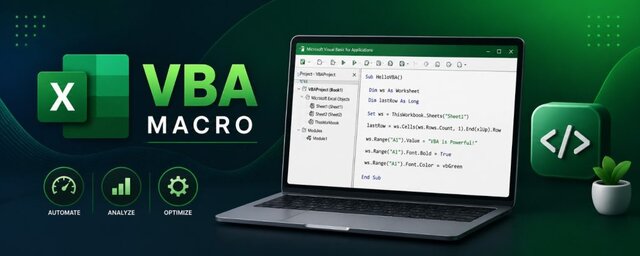
VBA Macro Programming course
The VBA Macro Programming course at Nice IT Services is designed to automate tasks and enhance productivity in Microsoft Excel. It covers VBA fundamentals, macros, and advanced automation techniques to handle data efficiently. With hands-on projects like MIS reports and billing systems, students gain practical skills to streamline workflows, reduce manual effort, and build intelligent Excel-based solutions.
1. VBA Basics
- Excel Developer Tab overview, Recording & editing Macros
- VBA Editor (VBE) interface, Modules, Procedures & Functions
- Creating Macro-Enabled Files (.xlsm)
2. VBA Syntax & Programming Fundamentals
- Variables & Data Types, Constants, Comments
- Operators (Arithmetic, Logical, Comparison), Option Explicit
3. Control Structures
- If…Then…Else, Select Case,
- For…Next Loop, For Each…Next, Do While / Do Until
4. Working with Excel Objects (Object Model)
- Application, Workbook, Worksheet, Range, Cells, Rows, Columns
- ActiveWorkbook vs ThisWorkbook, With…End With
5. Commonly Used VBA Methods & Properties
- Value, .Text, .Formula, .Copy, .PasteSpecial, .Clear, .ClearContents, .ClearFormats
- Select, .Activate, .Find & .Replace, .End(xlUp), .Offset, .Resize
6. Working with Cells & Data
- Dynamic Ranges & Last Row/Column, Data Validation via VBA
- Remove Duplicates, Looping through cells & ranges, Sorting & Filtering
7. Working with Worksheets & Workbooks
- Add, Delete, Rename Sheets, Protect / Unprotect Sheets
- Open, Close, Save Workbooks, Hide / Unhide Sheets
8. User Interaction
- MsgBox & InputBox, UserForms (Forms, Controls, Events)
- Buttons & Shape Controls, Custom Dialog Boxes
9. Error Handling & Debugging
- On Error Resume Next, On Error GoTo, Debug.Print
10. Working with Arrays & Collections
- Static & Dynamic Arrays, Split Function, Collections vs Arrays
11. Events Programming
- Workbook Events and Worksheet Events (Open, BeforeClose, etc)
- Worksheet Events (Change, SelectionChange etc)
12. Automation in VBA
- Automating reports, VBA with Pivot Tables & Charts
- Email automation (Outlook), File handling (Dir, FileSystemObject)
13. Real-World Projects (Practical)
- Automated MIS Reports, Payroll, Invoice / Billing Automation

Why Choose This Course
Choose this course to master automation in Microsoft Excel using VBA and improve efficiency with real-world applications.
- Learn complete VBA from basics to advanced
- Automate repetitive Excel tasks easily
- Industry-relevant practical training
- Learn debugging and error handling techniques
- Work with Excel object model and data handling
- Industry-relevant practical training
- Hands-on training with real-time projects
Frequently Asked Questions
You will learn macros, VBA coding, automation, and report generation.
Yes, you will be able to create automated reports and dashboards.
Yes, certification is provided after completion.
Yes, it is highly useful for data analysis, MIS, and office automation roles.

Find The Right Course For You





What's Our Students Say
Posted on Google
 LAKSHAYARORA BBA2025EBApril 8, 2026
Trustindex verifies that the original source of the review is Google.
I have completed tally prime course and it was greatPosted on Google Sargam RampalApril 8, 2026Very nice institute. Facalites are very good 👍. Mukesh and Rakesh sir teaches very well.Posted on Google
 radhe radheApril 7, 2026The institute teaches well and offers a good course 😌Posted on Google
 Flash ClipsApril 3, 2026Graphics design + Video editing best experiencePosted on Google
 Tanmay JainApril 3, 2026I have recently pursued advance excel course from nice institute . Teachers are very supportive and helped me a lot to get my queries solved.Posted on Google
 Niket KakkarApril 3, 2026I have completed diploma in financial accounting, the teachers was very good, the course was fully understood as the teachers were very corporativePosted on Google
 Nitin khatriApril 1, 2026Completed the Digital Marketing course here, and it was an amazing experience! "Sandeep Sir" is an excellent teacher – very knowledgeable and supportive. Highly recommended!Posted on Google
 VIKAS PHADIYAMarch 31, 2026The course was very goodPosted on Google
 Jai VarunMarch 27, 2026I have pursued ADVANCE EXCEL Course from NICE IT SERVICES and I have a very good experience there . Teachers are very supportive and Cooperative.
Secure Your Future Call Today
Contact NICE IT Services today for job oriented courses with practical training expert guidance and placement support to build your successful future