Google Sheets for Data Analysis
Google Sheets for Data Analysis at Nice IT Services is designed to help learners master spreadsheet skills, data analysis, and automation. This course covers formulas, dashboards, data visualization, and AI-powered techniques to handle real-world datasets efficiently.
Introduction to Google Sheets
- What is Google Sheets?
- Differences from Excel
- Navigating the interface
- Creating and saving your first sheet
Basic Spreadsheet Skills
- Entering and formatting data
- Working with rows, columns, and cells
- Using basic formatting tools (bold, alignment, colors)
- Undo/redo, copy/paste, and autofill
Basic Functions and Formulas
- Introduction to formulas
- Common functions: SUM, AVERAGE, MIN, MAX, COUNT
- Cell references: relative vs. absolute
Organizing and Managing Data
- Sorting and filtering
- Freezing rows/columns
- Hiding/unhiding rows/columns
- Data validation (dropdowns)
Working with Multiple Sheets
- Adding, renaming, and linking sheets
- Cross-sheet references
- Using IMPORTRANGE for data from other files
Intermediate Formulas
- IF, IFS, AND, OR
- VLOOKUP and HLOOKUP
- INDEX and MATCH
- Error handling with IFERROR
Charts and Visualization
- Creating charts (bar, line, pie, combo)
- Customizing chart appearance
- Using sparklines
Collaboration and Sharing
- Sharing settings and permissions
- Commenting and suggesting
- Version history and restoring versions
(Advanced Level: Automation & Analysis)
Advanced Data Functions
- QUERY function deep dive
- Pivot tables: creation and customization
- Conditional formatting with custom formulas
Data Import & Cleanup
- IMPORTDATA, IMPORTXML, IMPORTHTML
- Text functions (SPLIT, JOIN, TRIM, TEXT, SUBSTITUTE)
- Cleaning messy datasets
Introduction to Scripting
- Introduction to Google Apps Script
- Automating tasks with simple scripts
Real-World Projects
- Sales dashboard
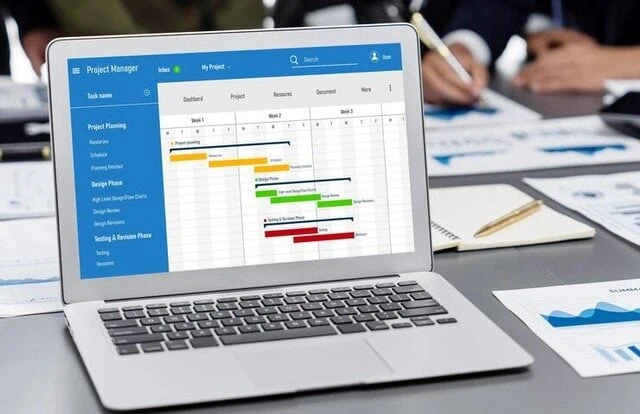
- Team task manager
- Analytics report with visualizations
Why Choose This Course
This course focuses on practical data analysis using real-world scenarios. With hands-on training, advanced formulas, dashboards, and automation, students learn how to manage and analyze data efficiently. AI integration and smart tools enhance productivity and decision-making skills for professional growth.
- Beginner to advanced Google Sheets training
- Real-world data analysis projects
- Advanced formulas (VLOOKUP, QUERY, INDEX-MATCH)
- AI-powered productivity methods
- Strong foundation in programming and logic building
Frequently Asked Questions
Yes, it starts from basics and gradually moves to advanced data analysis.
Yes, dashboards, reports, and automation projects are included.
It focuses on cloud-based collaboration and advanced data functions.
It helps in roles like Data Analyst, MIS Executive, and Business Analyst.

Find The Right Course For You








What's Our Students Say
Posted on GoogleTrustindex verifies that the original source of the review is Google. I have completed tally prime course and it was greatPosted on GoogleTrustindex verifies that the original source of the review is Google. Very nice institute. Facalites are very good 👍. Mukesh and Rakesh sir teaches very well.Posted on GoogleTrustindex verifies that the original source of the review is Google. The institute teaches well and offers a good course 😌Posted on GoogleTrustindex verifies that the original source of the review is Google. Graphics design + Video editing best experiencePosted on GoogleTrustindex verifies that the original source of the review is Google. I have recently pursued advance excel course from nice institute . Teachers are very supportive and helped me a lot to get my queries solved.Posted on GoogleTrustindex verifies that the original source of the review is Google. I have completed diploma in financial accounting, the teachers was very good, the course was fully understood as the teachers were very corporativePosted on GoogleTrustindex verifies that the original source of the review is Google. Completed the Digital Marketing course here, and it was an amazing experience! "Sandeep Sir" is an excellent teacher – very knowledgeable and supportive. Highly recommended!Posted on GoogleTrustindex verifies that the original source of the review is Google. The course was very goodPosted on GoogleTrustindex verifies that the original source of the review is Google. I have pursued ADVANCE EXCEL Course from NICE IT SERVICES and I have a very good experience there . Teachers are very supportive and Cooperative.
Secure Your Future Call Today
Contact NICE IT Services today for job oriented courses with practical training expert guidance and placement support to build your successful future