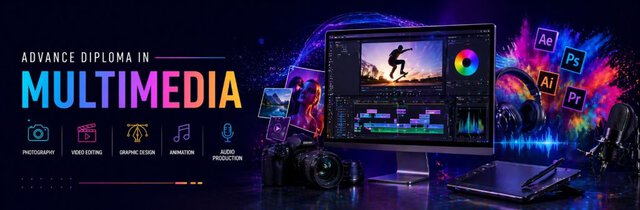
Advance Diploma In Multimedia with AI
This Advanced Diploma in Multimedia with AI is a comprehensive program covering graphic design, video editing (VFX), UI/UX, and animation. You will learn industry tools like Adobe Premiere Pro, After Effects, Audition, Photoshop, and Maya. The course focuses on practical skills, motion graphics, sound design, and AI-powered workflows, enabling you to create professional videos, animations, and visual content for media, marketing, and entertainment industries.
MS-OFFICE & GRAPHIC DESIGNING
MS OFFICE with AI (Computer Basic)
- WORD (Documentation)
- Page Setup, Text formatting, Paragraph setting, Header & footers, Mail Merge, Table
- PROJECTS (Resume, Official Application, Letter, etc.), Use of AI for Office Documentation
- ADVANCE EXCEL (Spreadsheet)
- Referencing, Functions & formulas, Data Import & Export, Macros, Sorting and filtering,
- Data Validation, Pivot Table, H Lookup– V Lookup- X Lookup, Creating Reports
- Database Projects, Use of AI in EXCEl (ChatGPT etc)
- POWERPOINT (Presentation & Projects)
- Slide Layout, Slide Transition, Slide Show, Animation, Sound and Video Effects, etc.
- Internet
- Email, Net Banking, Bill Payment, Ticket Booking, Digital Locker, Job Portals, etc.
COREL DRAW
- Logos Design, Business Cards Designs, Tracing (Logo & Cartoons), Paper Adjustments
- Bitmap, Pamphlet Designing, Posters and Banner Design, Invitation Cards
- Book Covers designing, Brochures and Flyers, Packaging Designs
PHOTOSHOP
- Layers, Channel, Tools, Color Adjustment, Background Effects, Digital Object Painting
- Retouching Objects, Layer Mask, Vector Mask, Clipping Mask, Quick Mask
- Texture Advance Editing, Portfolio, Book Cover, Flyer, Background Designing By Brush
- Digital Painting, Social Media Graphics, Framing Insta Reels, NewsLetter Design
- Creating Web Layouts, Web Graphics, Website Backgrounds, Thumbnail Design
GIF ANIMATOR
- Animation on Images, Slide Show
ILLUSTRATOR
- Create Digital Illustrations, Infographics and Charts, Background Effects
- 3D text effect, Creating Object Palette, 3D Object and Symbol, Vector Graphics
- Design for Animation and Motion Graphics, Avg filter(intro)
INDESIGN
- Tools, Image Adjustment, Colors Setting, Text Wrapping, FX effects, Master Pages
- Hidden Character Spaces, Character and Paragraph style, Links, Liquid Layout
VIDEO EDITING (VFX) & SOUND EFFECTS
ADOBE PREMIERE PRO
- Navigate Premiere Pro, Create and open projects, Work with files
- Import media into Premiere Pro, Organize your media once it’s imported
- Use the Timeline for video and audio tracks, Edit tracks in the Timeline
- Create sequences and nested sequences, Add animation and other effects
- Add transitions, Use the color-correction tools, Sync clips from multiple cameras
- Add text, shapes, and logos to your project, Export media from Premiere Pro
AFTER EFFECT
- Animation Basics
- Logo Animation, Text Animation, Slide Show Animation
- Color Grading, Tracking
- Blending modes and Layer Styles
- 3 D Layers, Tracking 3D camera movement
- Overview of Shape Layers, Paths and Vector Graphics
- Creating Shapes and Masks, Green Screen Removal
- Setting, Selecting, and Deleting Keyframes
- Camera Settings, Assorted Animation Tools, Accelerated Effects
- Fire Effect, Glowing Animation, etc.
- Editing, Moving, Copying Keyframes, Motion Graphics
- Basics of Rendering, Exporting and Converting Movies
ADOBE Audition (Sound Effects)
- File Handling, Editing in an audio file (Cut & Copy)
- Recording and Mixing with Song, Multi Track Mixing
- Spectral Display editor for Noise Reduction, Spectral Frequency editor
- Bass & Voice Handling
- Audio Effects, Audio waveform editing
- Sound Design, Audio Restoration, Music Recording, etc.
- Start & End Fade, speed handling, etc.
UI-UX DESIGNING
An Introduction to HTML, CSS and JavaScript
- HTML Tags, Headings, Lists, Images, Hyperlinks, Frame, Form, Table, Meta tags
- CSS Syntax, Text, Backgrounds, Dimension, Border, Block, Image Gallery
- JavaScript Variables and Operators, Conditions and Loops, Strings, Functions, Arrays, Validations in javaScript
Figma:
- Figma Dashboard, Figma Tools, Layers and Pages, The Top bar, Design Properties
- Prototyping in FIGMA, Exercise: Creating a responsive layout
- User Flow
- Speedup workflow with components, Creating own user flows
- Creating Wireframe, Home Page, Product Page, Cart Page
- Spacing and Grids
- Responsive Grid and Breakpoints, Creating Own Grid in Figma, Grid Guidelines
- Typography in Figma
- Serif, Sans Serif, Display and Mono, Choosing a Typeface
- UI Elements
- Creating Components, Creating Registration form, Responsive Components
- Visual Assets
- Photos in Figma, Figma Plugins and Icons, Custom Icons
ADOBE XD
- Creating New Files & Designing on a Grid
- Setting up Artboards, Importing text, Creating colored backgrounds for text
- Adjusting the Layout for Tablets & Mobile Phones
- Designing with Bootstrap’s grid
- Adapting the design for tablets and mobile phones
- Importing & Cropping Photos
- Importing Vector Graphics, Color Swatches, Shadows
- Creating & Editing Character Style
- Creating a Repeat Grid, Customizing the content, Adjusting the design
- Symbols (Reusable Elements)
- Creating & editing symbols, Detaching from a symbol, Symbols versus Repeat Grids
- Overriding content in a symbol vs. globally updating all symbols
- Turning a Design into a Clickable Prototype
- Linking between art boards, Creating an overlay, Previewing the prototype
- Exporting Assets for Web: SVG, JPEG, & PNG
- Sharing XD Files (For Review, Developers, etc.)
ANIMATION
ADOBE ANIMATE
- Workspace, panels, and tools
- Animation Basics: Frame-by-frame vs. Tweening animation techniques.
- Vector Graphics: Creating and editing vector art using the drawing tools.
- Layers and Timeline: Organizing elements and managing animation timing.
- Symbols: Using reusable graphic symbols for efficient animation.
- Exporting Animations: Different formats (GIF, video)
- Performance Optimization: Tips for improving animation efficiency and reducing file size.
- Character Animation: Techniques for animating characters, including rigging and lip-syncing.
- Advanced Animation Techniques: Using motion guides, easing, and complex transitions
Autodesk Maya
- Understanding of how 3D animation software works
- Understanding Menus, Icons, Dialog Boxes, and the MayaInterface
- Using Maya’s viewport to work with Cameras
- Understanding the basics of the modeling tools.
- Understanding the creation, attributes, positioning and management of 3D lights
- Create and apply Shades, Textures, and Image Maps.
- Using Groups, Parenting, Constraints, and IK bone changes to create hierarchical, animatable models.
- Understanding Key Frames, the Graph Editor, and basic animation functions in Maya
- An in-depth look at the render settings in Maya and how to create fully rendered animated sequences.
- 3D design & modeling, Digital sculpting, Texturing
- Look development & rendering, CG lighting, Particles & dynamics
- Hair, fur, cloth, Character setup & skinning, Character animation
Why Choose This Course
Choose this multimedia program to gain complete expertise in video editing, VFX, animation, and design under one course. With hands-on projects, industry-standard tools, and AI integration, you will build strong creative and technical skills. This course prepares you for careers in media, film, advertising, and digital content creation with a professional portfolio.
- All-in-one multimedia training (Graphic, VFX, UI/UX, Animation)
- Hands-on learning with real-world projects
- AI integration for faster and smarter workflow
- Portfolio development for job readiness
- Career opportunities in media, film & digital marketing
Frequently Asked Questions
Anyone interested in video editing, animation, or multimedia can join. No prior experience required.
Yes, the course covers VFX, motion graphics, 2D/3D animation, and sound design.
Video Editor, VFX Artist, Motion Graphics Designer, Animator, Multimedia Designer.
Yes, certification is provided after course completion.

Find The Right Course For You





What's Our Students Say
Posted on GoogleTrustindex verifies that the original source of the review is Google. I have completed tally prime course and it was greatPosted on GoogleTrustindex verifies that the original source of the review is Google. Very nice institute. Facalites are very good 👍. Mukesh and Rakesh sir teaches very well.Posted on GoogleTrustindex verifies that the original source of the review is Google. The institute teaches well and offers a good course 😌Posted on GoogleTrustindex verifies that the original source of the review is Google. Graphics design + Video editing best experiencePosted on GoogleTrustindex verifies that the original source of the review is Google. I have recently pursued advance excel course from nice institute . Teachers are very supportive and helped me a lot to get my queries solved.Posted on GoogleTrustindex verifies that the original source of the review is Google. I have completed diploma in financial accounting, the teachers was very good, the course was fully understood as the teachers were very corporativePosted on GoogleTrustindex verifies that the original source of the review is Google. Completed the Digital Marketing course here, and it was an amazing experience! "Sandeep Sir" is an excellent teacher – very knowledgeable and supportive. Highly recommended!Posted on GoogleTrustindex verifies that the original source of the review is Google. The course was very goodPosted on GoogleTrustindex verifies that the original source of the review is Google. I have pursued ADVANCE EXCEL Course from NICE IT SERVICES and I have a very good experience there . Teachers are very supportive and Cooperative.
Secure Your Future Call Today
Contact NICE IT Services today for job oriented courses with practical training expert guidance and placement support to build your successful future